

Key takeaways
- Fixed mounts sit closest to the wall — roughly an inch — and give the cleanest look, at the cost of easy access to the ports behind the screen.
- Tilting mounts exist for height. They angle the screen downward so a high installation still points at the seating. Above a fireplace, this is the minimum you need.
- Full-motion mounts solve angles, not height — and we don’t reach for one by default. Most rooms with square-on seating never need the extra articulation.
- Articulation costs depth and load capacity. A folded arm typically stands two to three inches off the wall, and an extended arm multiplies the leverage on the fixings.
- All three need the same foundation. Studs, concrete or brick with the correct anchors. The bracket type never changes that requirement.
Three bracket types, one job: hold a TV on a wall. The differences show up in what each one lets you do afterward — and in what each one asks of your wall to do it safely. Here’s the head-to-head, then which one actually fits your room.
- Eye level, one seating spot
- Fixed. Cleanest look, lowest cost, nothing to loosen over time.
- Mounted higher than eye level
- Tilt. Angles the picture back down toward the seating.
- Above a fireplace
- Tilt at minimum. A pull-down mount if the height still fights you.
- Wide room, seating off to one side
- Full-motion — the one case it genuinely earns its keep.
- Condo concrete or steel-stud wall
- Any type works, but full-motion multiplies the load your anchors carry.
- Need the ports often
- Full-motion swings the screen out instead of unclipping it.
Fixed vs Tilt vs Full-Motion: The Head-to-Head Comparison
| Fixed | Tilting | Full motion | |
|---|---|---|---|
| Depth from wall | About 1” | About 1.5–2” | 2–3” folded, much more extended |
| Adjustment | None after install | Vertical angle only | Extend, swivel, tilt, often rotate |
| Best for | Screen at seated eye level, seating square to the wall | Screens mounted high, including above a fireplace | Wide or off-centre seating, corners, frequent port access |
| Port access | Poor — usually unclip the screen | Limited | Good — swing the screen out |
| Cable planning | Shortest run | Small service loop | Generous slack needed to travel with the arm |
| Load on fixings | Lowest | Low | Highest, increases as the arm extends |
| Typical price | Lowest | Mid-range | Highest |
Fixed Mounts: The Cleanest Option When the Height Is Already Right
A fixed mount does one thing — it holds the panel flat and square to the wall, permanently. No arm, no hinge, nothing to service. That simplicity is the whole appeal: it's the lightest mount to install, it sits the closest to the wall of the three, and it has fewer parts to eventually work loose.
The trade-off is that "permanently" is doing real work in that sentence. Once the plate is fixed, the angle you got on install day is the angle you're stuck with. If the screen ends up mounted a little high, or the sofa moves, a fixed mount can't correct for it — the bracket you picked has to match the room from the start.

Fixed also loses the port access argument outright. Get to the back of the panel and you're usually unclipping the screen off the plate, not just reaching around it. Fine for a set-and-forget install. Not fine if you swap devices behind the TV more than once or twice a year.
When You Actually Need Tilt
Tilt exists to fix one problem: height. Mount a screen above eye level — over a fireplace, in a bedroom over a low dresser, anywhere the panel ends up higher than where you're sitting — and a fixed mount points that picture slightly over your head. Tilt angles it back down.
It also cuts glare. A screen tilted a few degrees off vertical throws overhead light and window reflections away from your eyeline instead of straight back at you, which matters more in open-concept GTA condos with floor-to-ceiling glass than in a basement rec room with the blinds drawn.
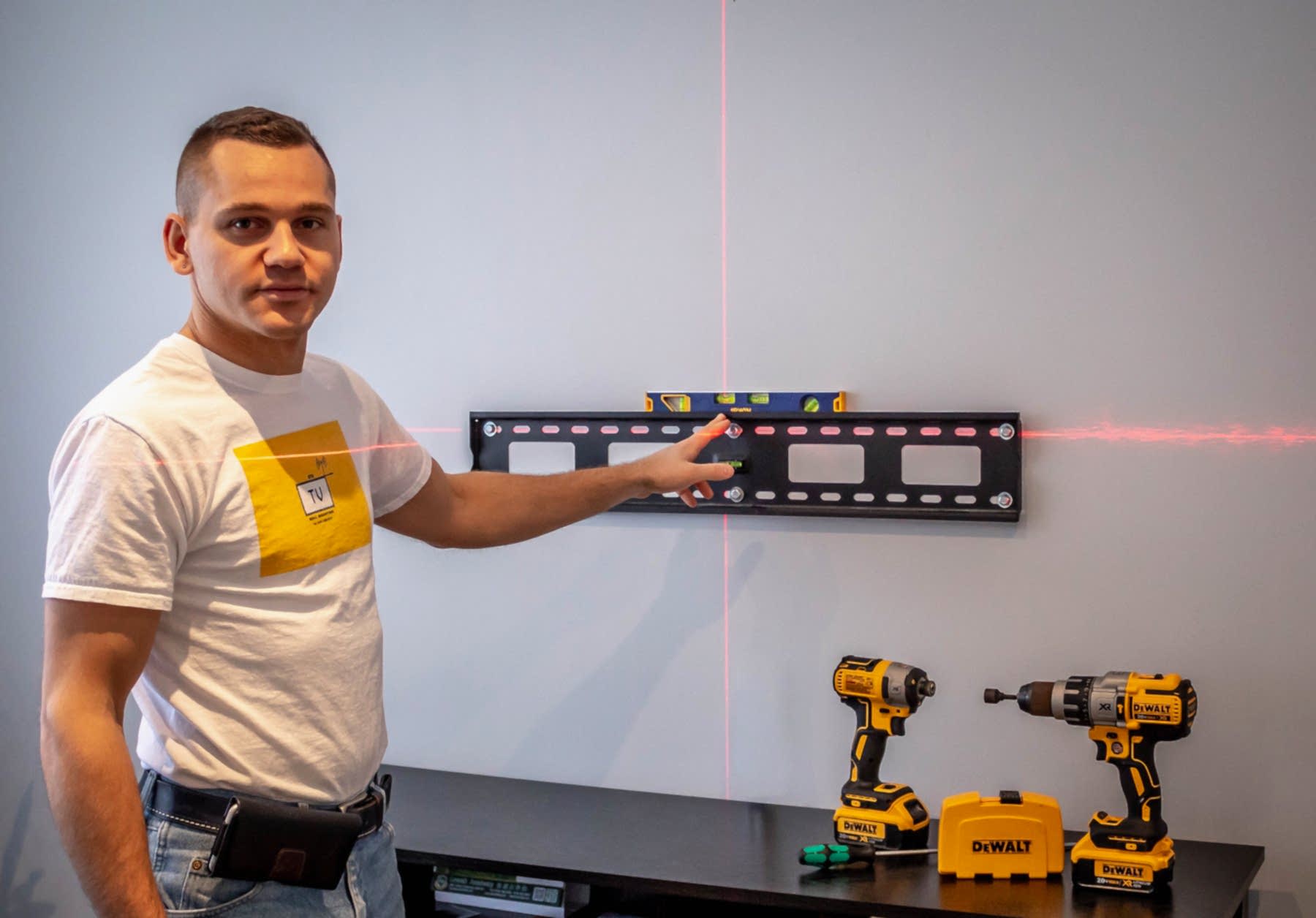
What tilt doesn't do is move the screen left or right, or pull it off the wall for access. If your seating is square to the TV and the only issue is height, that's the whole job done. Bring in more requirements — a corner install, seating split across two sides of the room — and tilt stops being enough on its own.
Why We Don't Default to Full-Motion
Most people who come in asking about mounts start by asking for full-motion. More movement sounds like more value, and on paper it is — extend, swivel, tilt, sometimes rotate. But after enough installs across the GTA, full-motion isn't the mount we reach for first, and it's worth being straight about why.

The physics is the real issue. Extend the arm and swing the screen to one side, and the load on the wall stops equalling the TV's weight — it multiplies, because the panel is now acting on the fixings through leverage instead of hanging straight down from them. On a large panel at full extension, a single stud sometimes isn't enough on its own; you need it anchored properly, not just clipped to whatever drywall happens to be behind it.
There's a look issue too. Even folded flat, an articulating arm sits two to three inches proud of the wall, and every hinge is visible. On a room where a flush, disappear-into-the-wall look is the goal, that's a trade a lot of people don't realize they're making until the mount is already up.
None of this means full-motion is a bad mount — it's the right tool for a specific set of rooms. For more on how that leverage plays out on genuinely large panels, see our breakdown of the right mount for an 85-inch TV.
Full-motion earns its place when the room actually asks for it: a corner installation where the wall the TV hangs on isn't square to the seating, a space with two distinct viewing areas (a kitchen island and a living room sharing one wall, say), or a setup where you genuinely need to pull the screen out and turn it to reach the back on a regular basis. If that's your room, full-motion is the right call — just budget for proper anchoring, not a shortcut.
What Toronto Walls Do to This Decision
The bracket type is only half the equation. What's actually inside the wall changes how much confidence you can have in any of the three.
Local wall types we see constantly
Condo concrete. Common across downtown Toronto high-rises. Concrete holds enormous weight when the correct rated anchors go in, but it needs a hammer drill and the right hardware — a standard wood screw does nothing here.
Steel studs. Newer builds and commercial-adjacent condo units increasingly frame with steel instead of wood. Steel studs are hollow, so a lag bolt meant for timber will strip the hole instead of biting; the bracket goes up on toggle-style anchors rated for the screen’s weight, set through the face of the stud.
Older plaster and lath. Common in Toronto's pre-war housing stock. The plaster looks solid but doesn't hold a fastener on its own — you're still hunting for the lath or the stud behind it, and the plaster can crack around a hole that goes in wrong.
This is why the honest advice above stands regardless of wall type: full-motion's extra leverage is a bigger ask on concrete anchors or steel studs than it is on a two-by-four wood stud in a straightforward drywall wall. A fixed or tilt mount asks less of whatever is actually behind the drywall, which is exactly why it's the lower-risk default.

Switching Mount Types Later
You can change your mind after the fact, but rarely for free. A different bracket almost always means a different fixing pattern, which means new holes rather than reusing the old ones.
- Check the VESA pattern first. The new bracket has to match your TV's mounting holes regardless of type — that part doesn't change with the switch.
- Expect new wall holes. Fixed, tilt and full-motion plates rarely share a footprint, so plan to patch the old marks.
- Consider a plywood backer if you're not sure yet. A backer board spanning two studs gives you a solid surface to reposition on freely, which is worth it if you think you might upgrade later.
- Re-check cable slack. Moving from fixed or tilt to full-motion means the existing cable run is almost certainly too tight for the arm's full travel.
If wire concealment is part of the plan either way, our invisible wire concealment service routes everything through the wall so a future mount swap doesn't mean redoing the cable run too.
What We'd Actually Install in Your Room
Handle it yourself if you're comfortable finding a stud, levelling a plate and torquing a bolt to spec — a fixed or tilt install on a standard drywall wall is a reasonable weekend job. Call someone when the wall is concrete, steel stud or older plaster, when a fireplace is involved, when the panel is big enough that lifting it alone isn't safe, or when you're leaning full-motion and want a second opinion on whether the room actually needs it.
Most GTA living rooms end up on tilt, not full-motion — that's not a sales pitch, it's what the room usually asks for once height is the only real variable. If your layout genuinely calls for full-motion, we'll say so and anchor it properly. If it doesn't, we'll tell you that too. Either way, we're covered by $2,000,000 commercial liability insurance and every job comes with a one year material and workmanship warranty, across Toronto and the surrounding GTA service areas.
Once you've picked the bracket type, the next question is where it goes — our guide to choosing the right mount for your space covers fit by room, weight and viewing angle. And if a mount is already up and something's off, TV wall mount troubleshooting walks through the fixes.
Frequently Asked Questions
Fixed vs tilt TV wall mount — what's the difference?
A fixed mount holds the screen flat and parallel to the wall with no adjustment once it's up. A tilting mount adds vertical angle, letting you aim the picture downward.
If the screen sits at seated eye level, fixed is the cleaner result. The moment it has to go higher than that, you want tilt.
Tilt vs full motion TV mount — which do I need?
Tilt solves height. Full motion solves angle and access: it extends, swivels and often rotates, so the screen can turn toward wherever you're sitting.
Choose tilt for a high screen with seating directly in front, and full motion for wide rooms, corner installs, or when you need to reach the connections behind the panel.
Can a TV be mounted above a fireplace?
Yes, and it's one of the most requested installs we do. It needs a tilting or pull-down mount so the screen angles back down toward the seating rather than pointing over everyone's heads.
The wall matters too — brick, stone and concrete each need their own anchors, and there's often no power up there to begin with.
Is it safe to mount a TV above a fireplace?
It is, provided two things are checked. First, the fixings must go into real structure — studs, or masonry with correctly rated anchors. Second, the heat above the firebox has to be within what the electronics can take.
Put your hand on the wall where the screen will sit after the fire has been running for a while. If it's uncomfortably warm, the TV shouldn't go there without a mantel or a heat shield to divert the rising air.
How high should a TV be mounted above a fireplace?
As low as the mantel and firebox allow — every extra inch increases the viewing angle you're fighting. Get the bottom of the screen as close to the mantel as the heat and the hardware permit, then tilt the panel down toward the seating.
If the only workable position is still uncomfortably high, a pull-down mount that brings the screen to eye level for viewing is the better answer.
Does a full-motion mount need stronger fixings?
Yes. When the arm extends, the screen's weight acts further from the wall, which multiplies the leverage on the top bolts. Full-motion mounts must be fixed into studs or into masonry with correctly rated anchors — never drywall alone.
How much does each mount type sit off the wall?
A slim fixed mount holds the panel about an inch out. A tilting mount is typically an inch and a half to two. A full-motion arm folded flat is usually two to three inches, and considerably more once extended.
Can I change mount type later?
Yes, though it usually means new holes, because the bracket's fixing pattern rarely lines up with the old one. If you think you might switch, mounting to a plywood backer spanning two studs gives you a surface you can reposition on freely.
Do I need extra cable slack for a full-motion mount?
Definitely. The cables have to travel with the arm through its full range, so leave a generous service loop and test the movement before you tidy everything away. Cables pulled tight at full extension is the most common full-motion install mistake.