

Key takeaways
- Size the screen to the seating distance, not the empty wall. For 4K, comfortable viewing runs roughly 1 to 1.5 times the screen diagonal — a 55″ TV wants about 5 to 7 feet of couch-to-screen distance.
- A low-profile fixed or tilt mount buys back the most room. It holds the panel about an inch off the wall; a full-motion arm folded flat still eats two to three.
- Full motion earns its extra depth off to one side. If the only place for the couch isn't square to the wall, the ability to swing the screen matters more than the inch you'd save with a fixed bracket.
- Corners aren't wasted space. A full-motion mount fixed into corner framing turns a dead triangle into the room's actual viewing wall.
- A calm wall reads bigger than a busy one. Hidden cables and minimal hardware do more for how small a room feels than the screen size does.
A TV doesn't need to be enormous to take over a small room. Get the size, the mount or the cable plan wrong and even a 43″ screen ends up as the loudest thing in the space — the first thing your eye lands on, ahead of the couch, the window, or anything else you actually chose to put in there.
None of that is really about the television itself. It's about how much wall it uses, how far it sticks out from that wall, and whether the wires behind it look intentional or accidental. Here's how to get all three right in a room that doesn't have inches to spare.
- Comfortable size
- Roughly 1 to 1.5x the screen diagonal in feet, measured to where you actually sit.
- Best mount profile
- Low-profile fixed or tilt — about an inch off the wall.
- Full-motion depth
- Two to three inches folded flat, more once extended.
- Corner mounting
- Needs hardware rated for a 90° angle, not a standard flat-wall bracket.
- Over furniture
- Leave clearance behind the panel for heat and cable access.
- Condo walls
- Concrete needs masonry anchors, not the drywall hardware in the box.
How Big a TV Your Small Room Can Actually Take
Start from where you sit, not from the wall you're staring at while the TV's still in the box. For 4K content, comfortable viewing sits at roughly 1 to 1.5 times the screen's diagonal size, measured in feet. A 43″ screen wants about 4 to 6 feet between it and the couch; a 55″ wants 5 to 7. Sit closer than that on a large panel and your eyes end up scanning the picture edge to edge instead of taking it in at once — which is the actual mechanism behind a TV "feeling too big," not the diagonal measurement on its own.

In a small room, the real limit on that maths usually isn't the wall, it's the couch. A 10-foot living room with the seating pushed against the far wall only leaves about 7 or 8 feet once you account for walking space, which points toward a 50″–55″ screen rather than the 65″ that looked reasonable in the store. Go bigger than that and the panel stops being furniture and starts being the room's main feature, whether or not that was the plan.
If you're still working out the exact size for your room's dimensions, our full guide to choosing a TV size for any room walks through that maths in more depth. What's specific to a small space is the constraint on the other side of the equation — the mount.
Why a Slim Fixed or Tilt Mount Beats a Full-Motion Arm When Floor Space Is Tight
Every mount steals some of the room back from the wall, and in a small space that stolen depth matters more than it would in a large one. A full-motion arm needs clearance to swing and extend, and even folded flat against the wall it typically sits two to three inches proud of the surface. A low-profile fixed mount holds the panel about an inch off the wall — close enough that the screen reads as part of the wall rather than as an object sitting in front of it.
The trade-off is access. A low-profile mount usually means unclipping the screen to reach the ports behind it, which is a fair price for the depth you get back if the TV never needs to move. A tilt mount gives a small amount of angle adjustment — useful over a fireplace or a dresser where the panel sits above eye level — without the bulk of full articulation.
| Mount | Depth off wall | Best for |
|---|---|---|
| Low-profile fixed | About 1″ | A fixed seating spot, square to the screen |
| Tilt | About 1–2″ | Above eye level — a dresser or a mantel |
| Full-motion | 2–3″ folded, more extended | Seating off to one side, or a corner |
Full motion still wins in one specific case: when the only place for the couch isn't directly across from the TV. If seating sits against a side wall, or the room is really an L-shape, the ability to swing the screen square to the seat matters more than the inch or two you'd save with a fixed bracket. Our guide to fixed, tilting and full-motion brackets covers the full comparison if you're choosing hardware for a room this isn't.
Mounting a TV in the Corner
Corners are usually the least useful part of a small room — too tight for furniture, too awkward for anything but a lamp. They're also often the only wall with a clear sightline to every seat, which makes a corner mount one of the better space trades available in a room this size.
It needs specific hardware. A standard flat-wall bracket won't clear the adjacent wall at a 90° angle, so you need a mount built for corners, or a full-motion arm long enough to swing the screen out past the angle and square it to the room. Studs don't run predictably through corner framing either — you're often fixing into a doubled stud rather than the evenly spaced timber on a flat wall, so locate it properly before you drill instead of assuming 16 inches on centre.

Cable runs get harder in a corner too. A cord that would disappear straight down a flat wall now has to cross the angle, which usually means routing behind drywall on both sides or accepting a visible run down one of them. Plan that before the mount goes up, not after.
Mounting a TV Over a Dresser or Console
Putting the screen above furniture you already own is the fastest way to free up floor space in a small bedroom, and it works — provided you don't just eyeball the height. Watching from the bed, the centre of the screen should sit roughly at eye level, which above a standard dresser is usually higher than feels natural standing in the room. Mount it for how you'll actually watch it, not for how it looks walking past.
Leave room behind the panel
A TV mounted flush against the wall over furniture still needs airflow and a way to reach the ports. A low-profile mount that seemed ideal for saving space can trap heat behind a dresser-height install, and you'll be pulling the screen off its bracket every time a cable needs changing. A tilt mount that opens an inch or two solves both problems for very little extra depth.
Route the power and HDMI cable down behind the dresser rather than along the wall beside it, and the setup reads as built-in instead of bolted on.
Condo Concrete and Older Toronto Walls Change the Plan
A lot of small-room installs in the GTA aren't studio apartments by choice — they're condo units with concrete behind the drywall, or older houses with plaster and lath instead of a stud every 16 inches. Neither takes a drywall anchor from the mount's hardware bag. Concrete needs masonry anchors and a hammer drill; plaster over lath needs a bit that clears the lath without cracking the plaster around the hole.

The upside of concrete is that once you're through it, the holding power beats almost any stud framing — there's no missed timber to worry about. The downside is that a corner or over-furniture install in a condo often means locating conduit and rebar before committing to a spot, which isn't a job for a stud finder built for wood-frame walls.
Keeping a Small-Room Wall Visually Calm
Two identical rooms with the same TV can feel completely different depending on what's happening around the screen. Four visible cables and a soundbar perched off to one side reads as clutter even when the mount itself is perfect. A wall with nothing but the panel and a soundbar tucked directly beneath it reads as calm — and in a small room, calm is most of what makes the space feel bigger than it is.
- Run cables inside the wall where you can. In-wall rated cable from a recessed outlet box behind the TV to a plate near the console removes the visible run entirely, and lets a slim mount sit flat instead of getting pushed off the wall by the plug.
- Use a paintable raceway where you can't open the wall. A rental or a concrete condo unit rules out cutting drywall; a slim surface channel painted to match still beats bare cable.
- Cut the cable count before you hide any of it. Running the TV's own streaming apps instead of a separate box removes a power cord and an HDMI run in one move.
- Add a soundbar over the panel's built-in speakers. One HDMI-ARC cable does more for how the wall reads than the extra width of a bigger screen ever will.
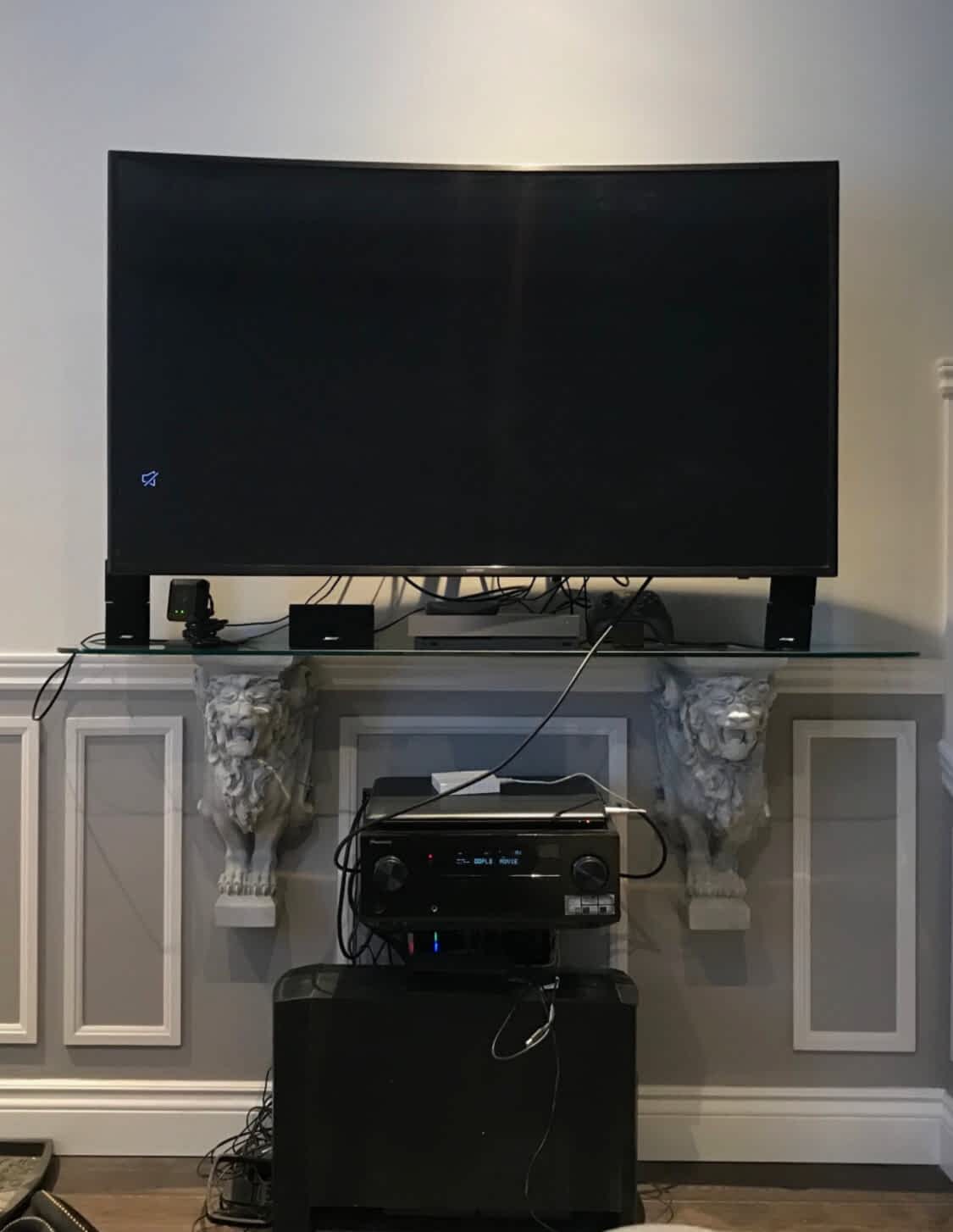
If you're renting and can't put anything inside the wall at all, our guide to mounting a TV in a rental covers the no-damage options in more depth. And if drilling isn't on the table at all, these no-drill mounting alternatives are worth a look before you rule out a mounted TV entirely.
When to Call a Pro for a Small-Space Install
A lot of this is genuinely DIY territory. Levelling a fixed mount on a stud you can find with a cheap stud finder, running a paintable raceway, swapping a cable box for the TV's own apps — none of that needs a technician.
Where we'd get involved: concrete or brick behind the drywall, a corner install where the framing isn't where you'd guess, in-wall cable routing through a finished wall, or a full-motion mount going into plaster and lath that cracks if the pilot hole is wrong. Small rooms punish mistakes more than large ones — there's no spare wall to patch and try again three feet over.
GTA TV Wall Mounting handles small-space installs across Toronto and the surrounding GTA service areas, including the condo concrete and older housing stock a lot of national installers would rather not deal with. We carry $2,000,000 commercial liability insurance, back every job with a one year material and workmanship warranty, and run up to 50% less than comparable big-box store installation services. Tell us the room and the TV, and we'll tell you which mount actually fits.
Frequently Asked Questions
What size TV fits a small room?
Work back from where you actually sit. For 4K content a comfortable range is about 1 to 1.5 times the screen diagonal, so roughly 5 to 7 feet for a 55″ and 4 to 6 feet for a 43″.
Sitting closer than that on a large screen is the usual cause of a room feeling overwhelmed by its television.
Which TV mount takes up the least space?
A low-profile fixed mount. It holds the panel about an inch from the wall, which is as close as you'll get and keeps the screen reading as part of the wall rather than as an object on it.
The trade-off is access — you'll need to unclip the screen to reach the ports behind it.
Can you mount a TV in a corner?
Yes, and it's often the best use of a small room. Use a full-motion mount fixed into the corner framing so the screen can swing out and square up to the seating rather than facing diagonally into the room.
Do I need a recessed outlet box behind the TV?
It's the difference between a slim mount sitting flat and being pushed off the wall by the plug. A recessed box lets the cord bend inside the wall cavity instead of behind the panel.
It's a small addition at install time and awkward to retrofit, so decide before the screen goes up.
How do I stop cables from making a small room look cluttered?
Run them inside the wall using in-wall rated cable, or use a paintable surface raceway if you can't open the wall. Cutting cable count helps too — running the TV's own apps removes a box, a power cord and an HDMI run in one go.
Should I use a soundbar in a small room?
Usually yes. A soundbar connected over HDMI-ARC needs a single cable and does far more for perceived quality than the panel's built-in speakers, which fire backwards or downwards on most sets.
Is a bigger TV always better?
No. Past the comfortable range for your seating distance you start moving your eyes across the picture instead of taking it in at once, and in a small room a very large panel dominates everything else. Match the screen to the room and the room stays usable.